Skip to content
-
Home
-
Docs
-
Variation Suite
-
Getting Started
- How to Install Variation Suite
1: Download the plugin
- After purchase, go to your Envato Downloads page.
- Click the “Download” button next to Variation Suite for WooCommerce.
- Select “Installable WordPress file only” to download the plugin ZIP file.
2: Install the Plugin on Your WordPress Site
- Navigate to the Plugin Upload Page:
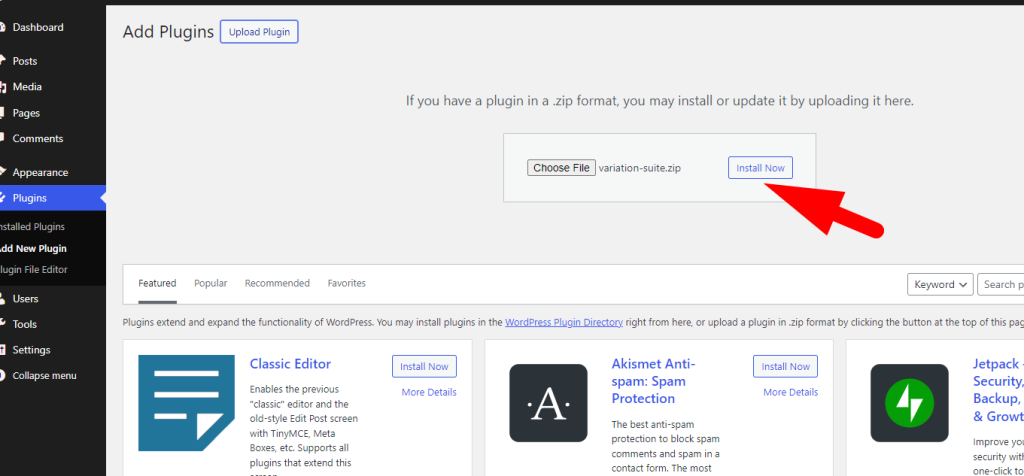
- In the left-hand menu, go to Plugins > Add New.
- Click the Upload Plugin button at the top of the page.
- Upload the Plugin ZIP File:
- Click the Choose File button.
- Locate and select the
variation-suite.zip file you downloaded from Envato.
- Click Install Now.
- Activate the Plugin:
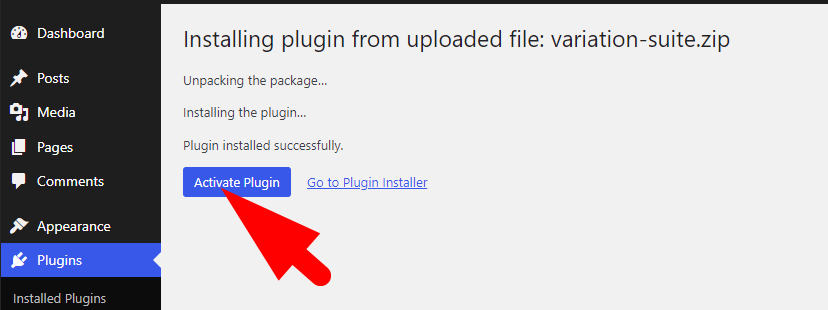
- Once the installation is complete, click the Activate Plugin button.