

In Variation Suite, you can easily create and customize grid layouts to display your product variations in a visually appealing format. Follow these steps to set up a variation grid layout:
1: Accessing Variation Display Settings
- In the left-hand menu, click on WooCommerce.
- Select Settings.
- Click on the Variation Suite tab.

2: Configuring Grid Layout
- Under Variation Display, choose Grid from the options.
- This setting determines how your product variations will be displayed on the frontend.
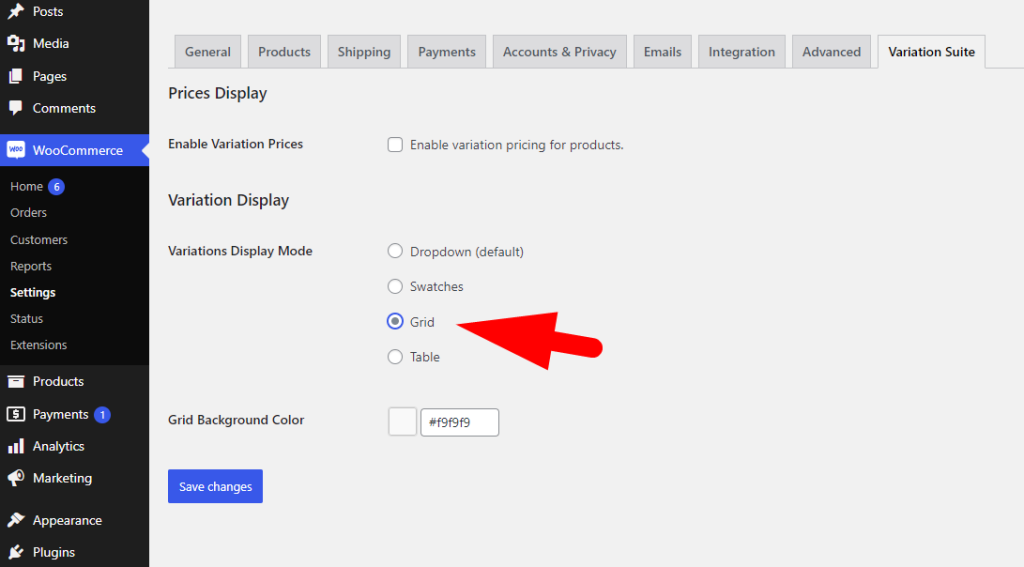
- Modify the grid background color to match your website’s theme or branding.
Remember, you have the flexibility to assign this layout to specific product categories by editing each category and selecting the preferred “Variations Display Mode” option.